Showing posts with label scx. Show all posts

Monday, May 20, 2013

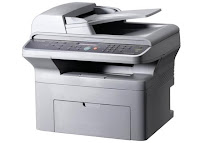
Samsung SCX 5530FN

If you’re looking for a multipurpose, multi tasking printer, scanner and copier which features high quality prints and scans, is fast and reliable, works efficiently, has speedy networking capabilities and can adequately handle tasks both large and small, then the Samsung SCX-5530FN is an ideal option. This printer not only prints, it can generate scans and copies too. It has especially been designed to handle larger projects such as those demanded by people in a work place, a busy office and so forth. In a nutshell, this unit is one that will save time, money and space for any demanding office or small business.

The Samsung SCX-5530FN is capable of printing out the first page after minimum start up and warm up times of about 9 seconds. After this the speed of printing picks up and runs at a steady speed of an average of 28 pages per minute. One of the many reasons for the success of this multipurpose machine it’s the simplicity of its working. To start its functioning, all users need is one data cable, a phone line and a power outlet. Once these requirements have been met, the Samsung SCX-5530FN can be used for laser printing and faxing, color scanning and digital copying of high quality and great efficiency.

Being built primarily for heavy duty office and small business use, this printer has been built in with a large paper holding capacity and is offered with additional trays to further enhance this important feature. Its standard input paper capacity is a drawer that can adequately hold up two hundred and fifty sheets of paper which can be increased to three hundred sheets by inserting a sheet bypass capable of holding fifty sheets. Furthermore, the output collection drawer can adequately hold about two hundred and fifty pages at a time which means that users can go on printing without having to worry about the pages running out midway in a task.

Color scanning with the Samsung SCX-5530FN is also popular and known for its brightness, richness in color, sharpness and accuracy. It scans at a resolution of 4800 dots per inch and with its high speed internet connection and USB feature, users can also scan a document directly to email or circulate it throughout the office through the networking feature. Many additional features are also found in these printers which further enhance its functioning such as automatic duplex printing and more.

Source: http://hubpages.com/hub/Samsung-SCX-5530FN-All-in-One-Laser-Printer
Monday, April 8, 2013

Samsung SCX 4725FN 4 in 1 Multifunction Network Laser Printer


OVERVIEW:  Now days, most of the “all-in-one” printers in stores today don’t have “all” the features of the older generation ones. As printers have gotten smaller and sending scanned documents via e-mail has become acceptable for many businesses, the fax feature has been eliminated.  However, there are still times when you run across a client or a business that will only accept faxed documents. The Samsung SCX-4725FN is a 4-in-1 printer that offers network printing, scanning, copying, and faxing.

PROS:
After a 30 second warm-up, the SCX-4725FN prints and copies at 24 pages per minute, with 10-second delays between print jobs. In operation, the 4-in-1 produces 53dB of sound and 35dB when idle. Think of 53dB as the sound of low conversations and 30 decibels as a quiet office.

The control panel on the SCX-4725FN provides functions for the copier and fax including a programmable phone book list. A pass-through external phone jack on the back of the printer allows for plugging a telephone or an answering machine. If a fax comes in while the copier or printer is in use, 4MB of memory is reserved to store incoming faxes until the copying or printing is complete. For security, incoming faxes can be stored in memory, requiring a 4-digit PIN to print out.

The SCX-4725FN comes standard with a 250-sheet tray, capable of handling up to legal-size paper. The single-sheet multi-purpose tray can handle transparencies, labels, post cards, envelopes, 3” x 5” postcards up to 8½” x 14” legal paper of various bond weights.

At 1200 x 1200 dpi resolution in print mode, the SCX-4725FN keeps text sharp--even at 6-point font sizes--and does a decent job with graphics. To keep from consuming too much toner, the printer has a 600 dpi resolution with a text-enhance or image-enhance switch.  The Toner Save feature allows for a 40% toner life increase while keeping images clear and readable.

The “N” in SCX-4725FN is for “networking”.  Having built-in Ethernet network support and a hi-speed USB, this multifunction is right at home either in the middle of an office floor or connected to a secretary’s computer. The built-in 32MB of printer memory enables the SCX-4725FN to handle printing workloads from multiple computers.

Understanding the printing needs of today’s businesses in providing support for the major software applications, Samsung has installed print emulators that should satisfy the most diverse office. Emulators include PostScript3, HP PCL6 and Samsungs own proprietary print language, SPL.

CONS:
The only downside is the software package seems to skimp on features, especially for Mac OS users. It would be nice if Samsung’s SmartThru4 software expanded its Windows features to Linux and Mac OS systems.

INK / TONER NEEDS:
The monochrome toner that is included is only 50% full, which is something to remember before you decide on copying several hundred pages a shot. Samsung’s so-called “high yield” cartridge has an average yield of 3,000 pages. (No standard-yield cartridge is offered.)

SOFTWARE:
Being a multi-purpose printer, one would expect the software to provide full functions for all the computer platforms Samsung claims it supports.  The software in the CD-ROM is primarily for Windows compatible machines. For Windows users, the SmartThru4 software provides the most features, supporting not only scanning and printing, but offering an advanced printing section that allows for booklet printing, creating a large poster mosaics, and watermarks.

The Linux software package is not included with the CD and has to be downloaded from Samsung’s website to support printer and scanning functions. The Linux Unified Driver Configurator software allows for scanned images to manipulated and edited.  For Macintosh users, the CD-ROM has a couple of basic drivers for printing and a TWAIN driver for scanning. There is no additional software support: you either must have a 3rd party application that manages scanners or use the Mac’s own Image Capture (only available on Mac OS 10.4.7 and higher).

Thursday, April 4, 2013

The Samsung SCX 4300 3 in 1 Multifunction Printer


OVERVIEW:  Once in a while you might need to scan an official document to be e-mailed or you may need to print copies of the neighborhood newsletter for distribution. Rather than drive to the local print store, a personal B&W multifunction printer like the Samsung SCX-4300 can save you time and gasoline while providing monochrome laser printing.

PROS:
A black case and a footprint of only 16” x 15” allow the SCX-4300 to fit unobtrusively in home or office.

The SCX-4300 has a 250-sheet main paper tray. This is almost more than double the capacity many other personal-use laser printers have. The tray has an adjustable rear lever to allow the SCX-4300 to hold 11” x 14” legal-size paper, while maintaining the same footprint on your desk. For heavier paper weights, types, and sizes, the SCX-4300 has a 1-sheet manual feed slot. So if you want to print 30 invitations from a Word mailing list you will have to stay by the printer feeding the envelopes one at a time.

It takes less than 11 for the SCX-4300 to go from Standby to print. Having a print and copy speed of 19 pages per minute, this personal printer has a decent speed for laser printers a few year ago.  However, nowadays current inkjets are pushing B&W print speeds of 20 ppm, and are giving lasers a run for their money.

While in standby or Sleep mode you won’t even know that the multi-function is even on at 28dB. And when it fires up the 53dB, the SCX is no noisier than low conversations. While 53 decibels may not be loud, it is annoying if the printer is sitting next to you printing 99 copies.

The color scanner portion of the SCX-4300 is compatible with TWAIN & and XP/Vista’s WIA standards.  The 600 x 2,400 dpi optical resolution can be digitally enhanced to 4,800 x 4,800 dpi.

The control panel on the SCX-4300 has a 2x16 character LCD display and controls for manual copying.  Copy options include changing image magnification from 0.5 to 2 times the original size, and up to 99 multi-page copying.

CONS:
The 600 x 600 dpi resolution is the lowest printing resolution since the entry-level ML-1430 personal laser printer. At 600 x 600, I would expect print speeds to be a lot faster than the 19 ppm the SCX produces.

It’s funny for a printer to offer the pre-XP TWAIN scanner support (a pre-XP standard) and not have the ability to connect to older computers with parallel ports. While PC’s with a parallel interface have become few and far between, it’s nice to free up a USB port if your computer still has one.

For a multi-function printer, 8MB of non-expandable memory seems a little skimpy.  It’s true that 8MB is large enough to print all but very large scanned images or Acrobat files. However problems may occur if the printer is shared across a workgroup as print jobs fill up the queue. For one office or cubicle, the SCX-4300 can handle most single-user print needs.

There are no PostScript or even the standard HP Printer Control Language (PCL) emulators. Instead Samsung uses a proprietary printer emulator. Most users won’t notice any changes in the way things print, unless they use a lot of advanced features in any high-end graphic or photo editing software.

INK/TONER NEEDS:
The monochrome toner that is included is only 50% full, which is something to remember before you decide on copying several hundred pages a shot. Available standard cartridges give an average yield of 2,000 pages.

SOFTWARE:
Being a multi-purpose printer, one would expect the software to provide full functions for all the computer platforms Samsung claims it supports.  The software in the CD-ROM is primarily for Windows compatible machines. For Windows users, the SmartThru4 software provides the most features, supporting not only scanning and printing, but offering an advanced printing section that allows for booklet printing, creating a large poster mosaics, and watermarks.

The Linux software package is not included with the CD and has to be downloaded from Samsung’s website to support printer and scanning functions. The Linux Unified Driver Configurator software allows for scanned images to manipulated and edited.  For Macintosh users, the CD-ROM has a couple of basic drivers for printing and a TWAIN driver for scanning. There is no additional software support: you either must have a 3rd party application that manages scanners or use the Mac’s own Image Capture (only available on Mac OS 10.4.7 and higher).

Wednesday, April 3, 2013

The Samsung SCX 4500 3 in 1 Multi function laser printer


OVERVIEW:  Now that computers are as common in homes as televisions, more people are now looking at ways to get them to blend in with the furnishings. Sleek laptops and wall-mounted displays have replaced nerdy desktops and monitors. So why have a multi-function printer that screams “Geek”? The Samsung SCX-4500 3-in-1 multi-function printer replaces geek with chic.


PROS:

Like the ML-1630, the SCX-4500 has a sleek & slim design with a low profile of only 6½“ and a footprint of 13” x 15½“.

This printer is quiet. How quiet? At under 38dB in standby and 45dB in operation it’s almost as quiet as a whisper. To go from power up to print only takes the SCX-4500 15 seconds.

There’s nothing like class with a touch of sci-fi. The first thing you notice is there are no apparent buttons on this printer. The 19-pound SCX-4500 uses soft-touch sensor panels under the top panel for print and copy controls, plus a display with blue LED indicators. The 100-sheet paper tray is a semi-automatic sliding cassette.

The SCX-4500’s simplified paper feed path means clearing jams are easier and effortless. Replacing the toner cartridge is also straightforward and easy to get to. To reduce jams, Samsung recommends keeping to paper weights that are at least 20 lbs.

The USB 2.0 interface allows the printer to easily connect to a Mac, a PC, or a visiting laptop.

The color scanner portion of the SCX-4300 is compatible with TWAIN & and XP/Vista’s WIA standards.  The 600 x 600 dpi optical resolution can be digitally enhanced to 4,800 x 4,800 dpi.

Copy options include changing image magnification from 0.5 to 2 times the original size, and up to 99 multi-page copying.

As expected for a printer of this type, Samsung only installed a fixed 8MB RAM for the SCX-4500. 8MB is fine for text printing, but large Adobe files and graphics will fill up the SCX-4500’s memory and will slow printing. There is no PostScript or even the standard HP Printer Control Language (PCL) emulator. Instead Samsung uses a proprietary printer emulator. Most users won’t notice any changes in the way things print, unless they use a lot of advanced features of professional graphic or photo-editing software.

CONS:
The SCX-4500 has a small 100-sheet tray capacity that holds letter-size paper or smaller. But then again, the SCX-4500 is designed for the casual printer user--for a home, a dorm, or an executive office, the tray is fine. There is no separate manual sheet feeder slot; transparencies, card stock, and labels must be placed in the cassette one sheet at a time.  The printer’s unique design also doesn’t allow for printing on envelopes.

At 17 pages per minute, this personal laser printer is a little on the slow side of printing speeds for its age. With current inkjets pushing B&W print speeds of 20 ppm, inkjets are now giving lasers a run for their money in performance.

This issue is not so much a problem with the printer, just with the people who use it. One disadvantage to the SCX-4500’s size and appearance is many people think it can be wedged anywhere without regard to its ventilation needs. To keep from cooking its internal parts and to reduce paper jams, Samsung recommends leaving at least a 4” clearance around the printer. The printer must be placed on a level, upright surface not tilting more than 2 mm (that’s less than 1/10 of an inch).

INK/TONER NEEDS:
1000-page starter toner cartridge used in the SCX-4500 is only 50% of standard capacity toner. Unless you plan on going through 2 reams of paper in a week, the starter cartridge should last long enough while you order a regular yield toner.

SOFTWARE:
Being a multi-purpose printer, one would expect the software to provide full functions for all the computer platforms Samsung claims it supports.  The software in the CD-ROM is primarily for Windows compatible machines. For Windows users, the SmartThru4 software provides the most features, supporting not only scanning and printing, but offering an advanced printing section that allows for booklet printing, creating a large poster mosaics, and watermarks.

The Linux software package is not included with the CD and has to be downloaded from Samsung’s website to support printer and scanning functions. The Linux Unified Driver Configurator software allows for scanned images to manipulated and edited.  For Macintosh users, the CD-ROM has a couple of basic drivers for printing and a TWAIN driver for scanning. There is no additional software support: you either must have a 3rd party application that manages scanners or use the Mac’s own Image Capture (only available on Mac OS 10.4.7 and higher).